
For this final project, I knew I wanted to do something with video animation of some kind. I also knew that I wanted to do something that would be useful outside of the class. With the time that is going into this project, I felt it would be best served if this time and effort went towards something that could be used for something. Thus, the idea of a music video for my band.
Initially I was going to attempt to do claymation, but realized for the length of one of my bands songs it was going to be a lot more work and take more time than this project is supposed to, so I scratched that.
The next thing I tried was using the adobe Character Animator. That program is wild, and using a template I created a puppet version of myself (i’m an idiot and have no proof of this b/c I deleted it to make space on my laptop, which is relevant later). This took me a couple hours as the first time I made it, I did so in a way that it didn’t respond to movement when transferred back to the program from an .ai file. So I had to re-create myself twice in order to have the puppet respond to the movements I was making. I ended up choosing not to do this for the project because I felt the mouth movement wasn’t expressive enough for something like singing and trying to coordinate puppets playing instruments again, felt like too big a task. So, once again, I was at square two.
I knew I wanted to do something for my band in regards to animation and that’s when the idea to rotoscope popped into my mind.
I had a video of us playing a song in my friends living room, so I decided to use that as the base. Initially when I began doing this I was going to have the background be the part that I was altering and drawing on. I did this through photoshop, splitting the video up into sections so that the file wouldn’t overload in photoshop.
Every 20 seconds is about 155 frames.
Here’s what I tried first:
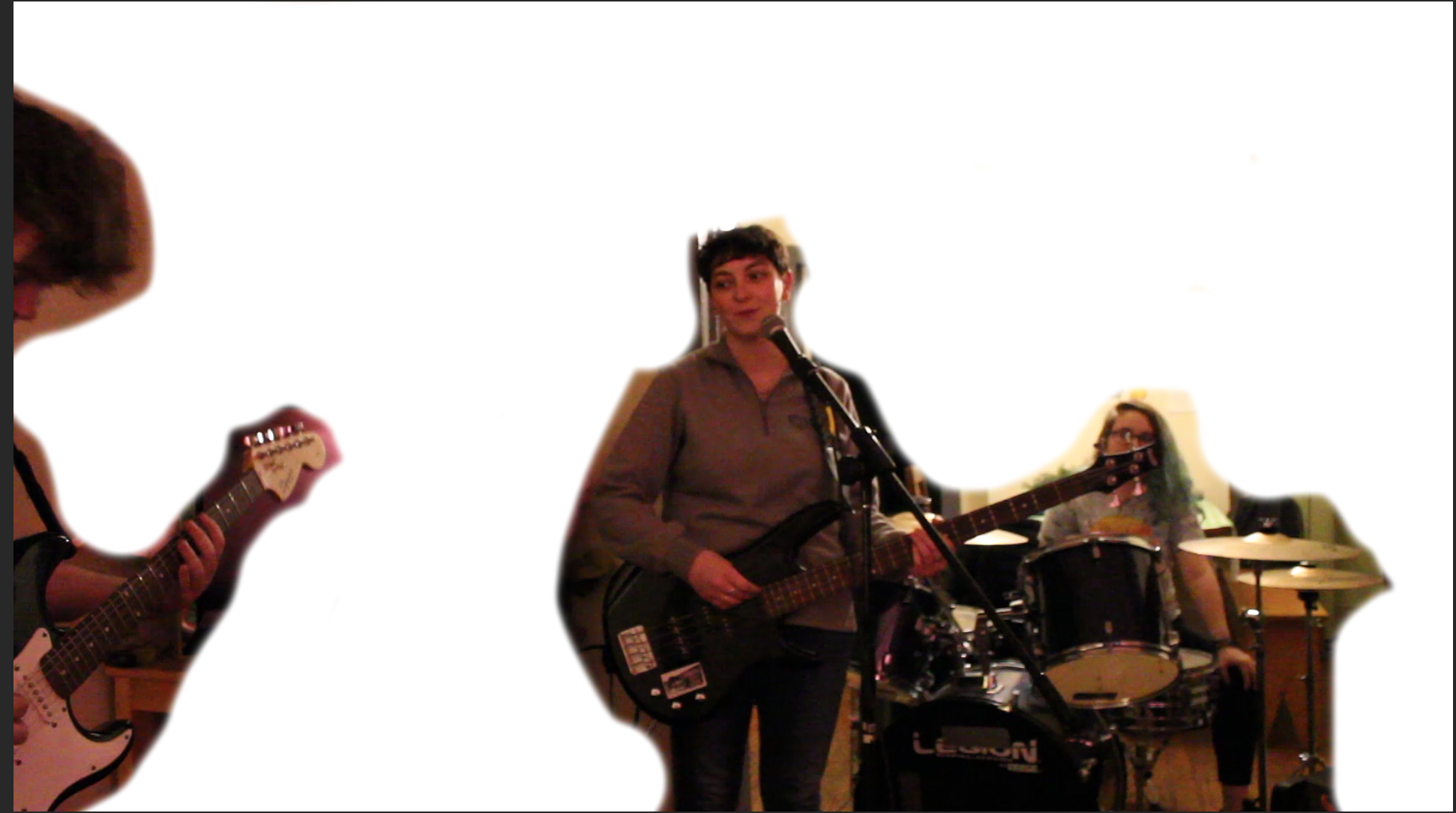
This was a very poor and quickly given up attempt at this project. I realized I didn’t like how we looked especially with the lighting against an altered background.
My next idea was to have the instruments be drawn over like this: 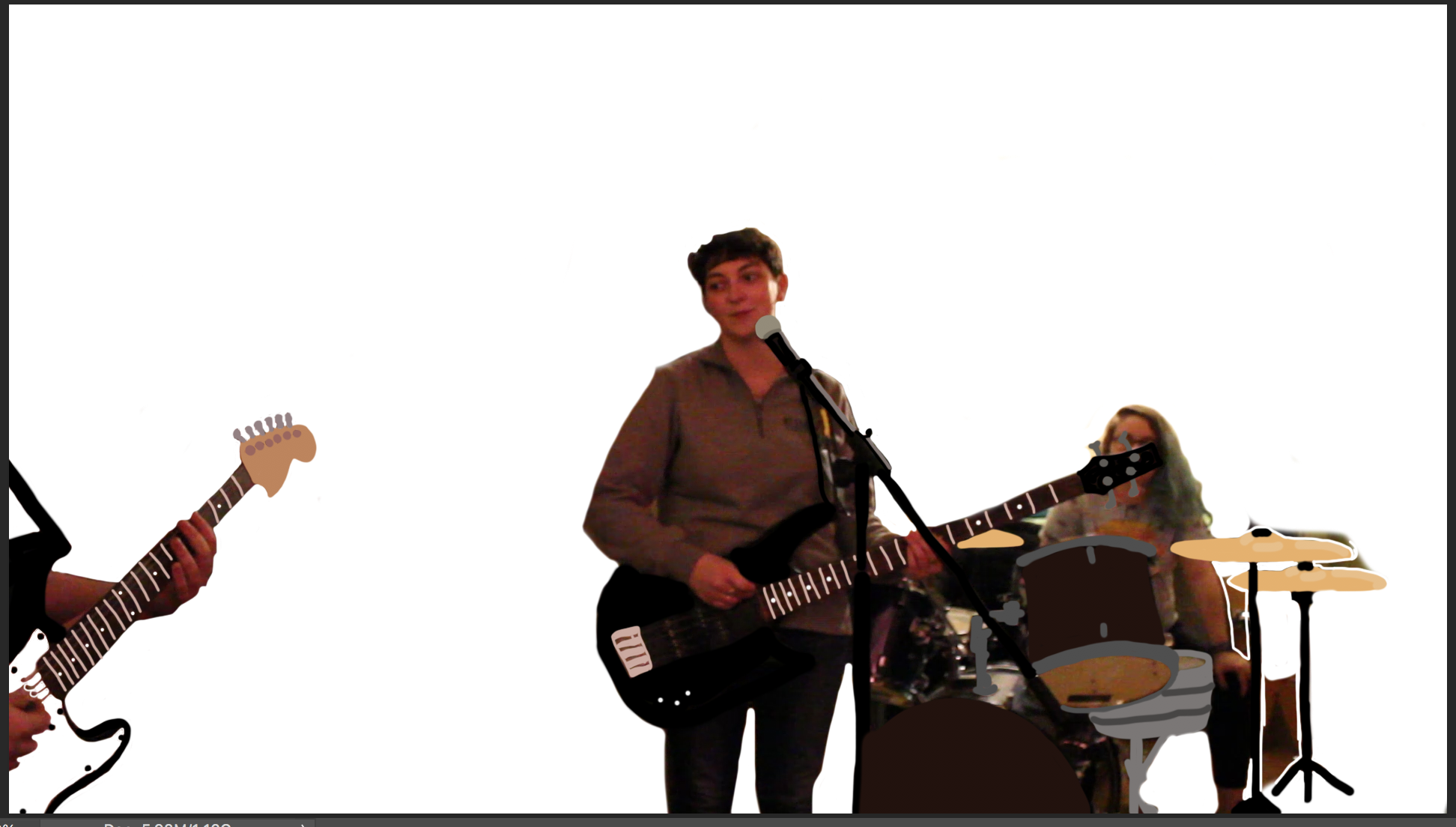
I got a couple frames in and gave up on this because it was going to take way way too long. That’s been the biggest hurdle I have hit. Time commitment with this.
So finally, I decided to do something of the opposite and have us (the band/humans) be color blobs playing the instruments like this:
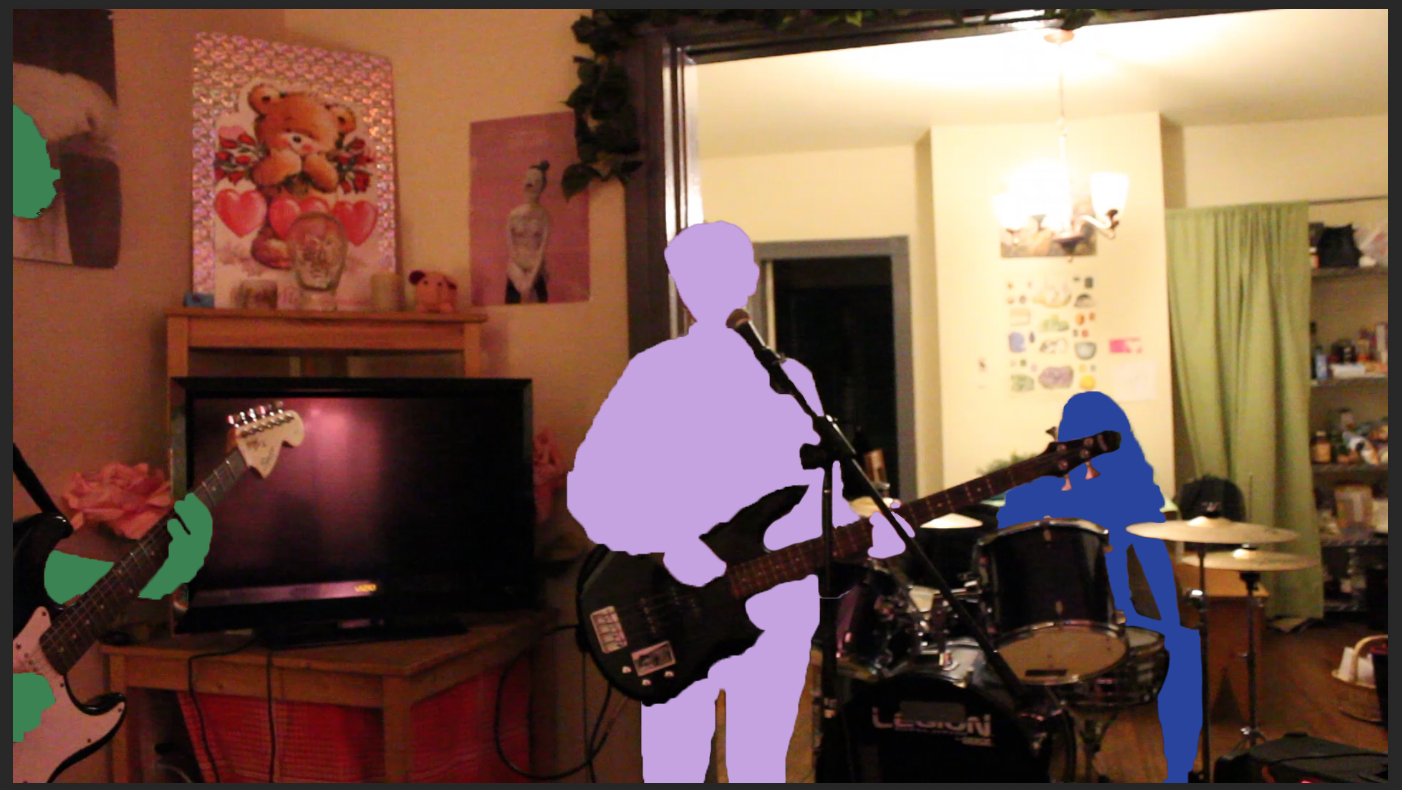
This was the project I was happy with attempting to complete. I knew that I wasn’t going to be able to finish all four minutes by the final project but I had hoped to complete at least a minute, but again, every 20 seconds is about 155 frames.
I was doing this still using photoshop and mainly through the quick select/fill and paintbrush tools.
At first it felt like I was getting a lot done in a short amount of time but when it came down to it, I wasn’t. There are so many frames and three figures in each frame which made for a lot of work.
I spent one afternoon, who knows how many hours straight just working on it, and ended up with four seconds of one figure looking really good: (I took a video on my phone and turned that video into a .gif for you)
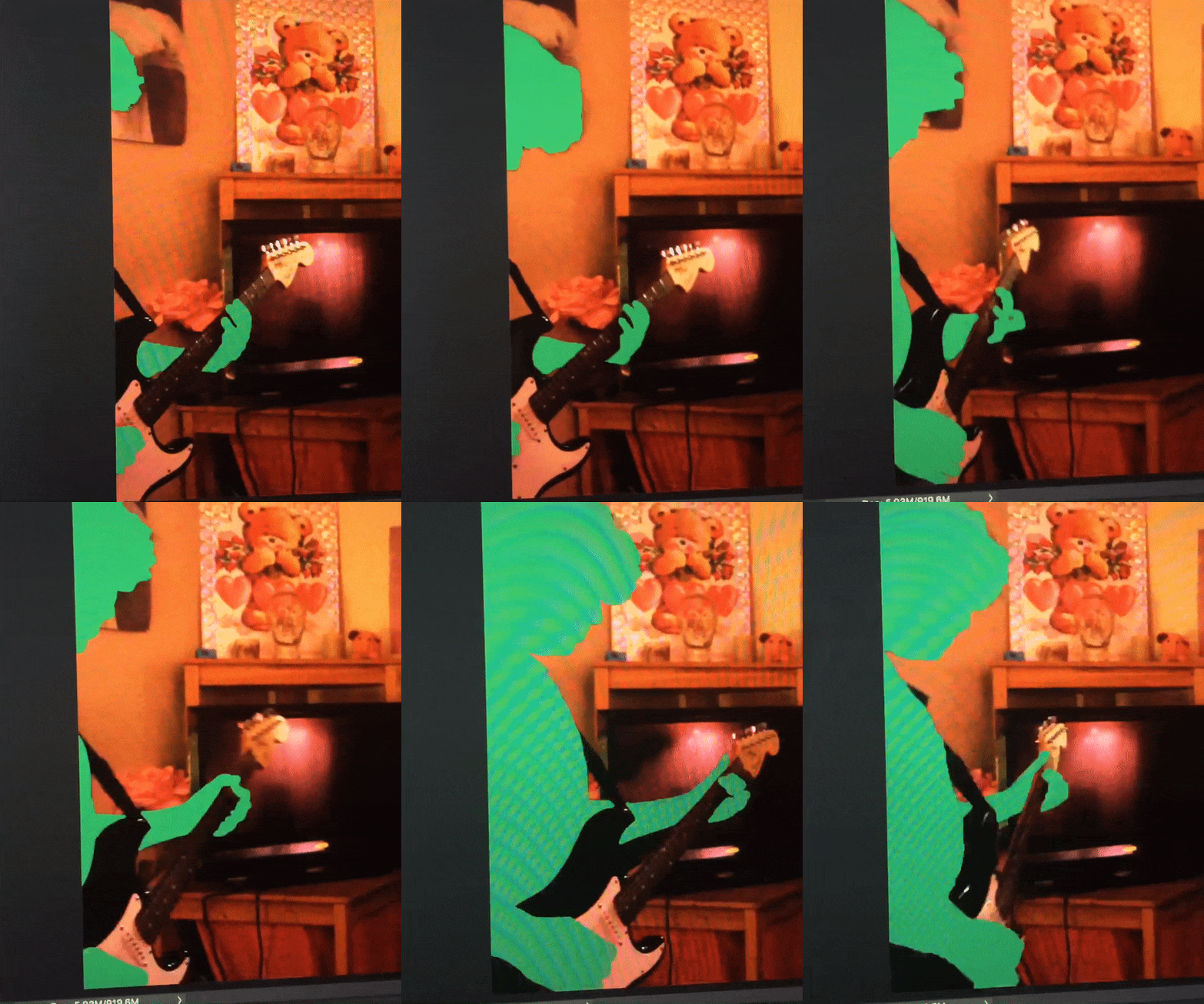
Finally I felt like I was going somewhere and doing something with this project. & then my laptop hated me.
After having a decent amount done and like on a good track, while quick-selecting a figure, photoshop suddenly stopped working and popped up with this error message:
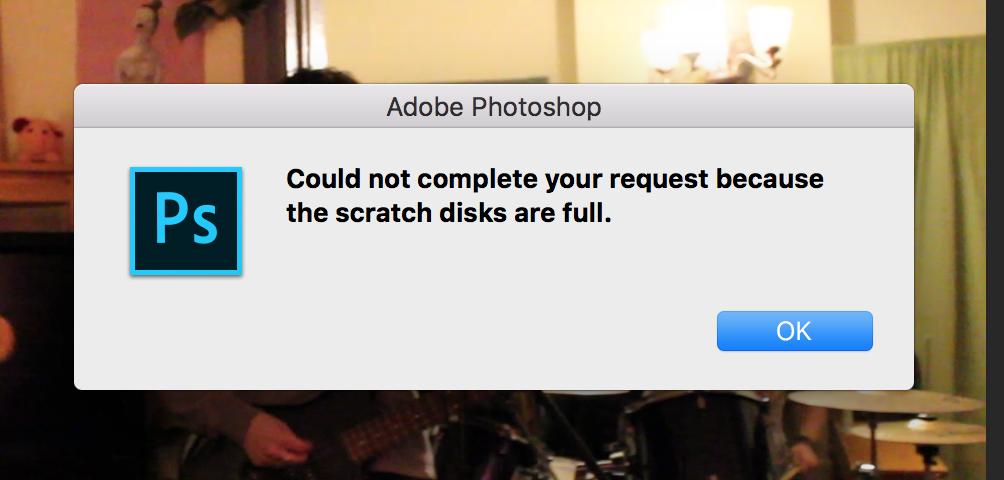
After pressing “ok” the program crashed and of course, I had not saved in a while! When I opened it back up almost all of my progress was lost. This meant that after learning what a scratch disk is, and deleting a ton from my laptop because even though I was using an external to store the file that didn’t mean my laptop itself was okay.
So I deleted programs and files in order to make sure that no other issues occurred. (One of which was character animator, leaving me with no trace of the puppet self I had originally made).
After spending hours re-working I have about 100 frames of one figure completed. It wasn’t as much as I had hoped, but at the same time I have spent more than the 16 hours on this project as a whole.
I then took the 100 frames and saved them as a video. I then synced it to the music in iMovie to create the piece that will be shown in critique.